The Powerhouse PM – Manages the Seconds!

If you’ve had ANY experience managing projects you’ll soon realize that most everyone on a project team was already busy with their “day job” prior to the project kicking off.

As such, leading this new project requires that we vie for time on team members’ already tight calendars. One of the biggest challenges, in doing so for the duration of the project, is ensuring we make best use of everyone’s time. The reality: as soon as a team member feels that any of their time is being wasted we’ll lose them (as we should).

To support this objective, I constantly look for ways to shave time off everything I do. Seconds matter, as they add up to minutes, which add up to hours and so on.

One of the biggest time wasters relates to poor meeting management. Following are just a few things that I’ve found helpful to make best use of everyones’ time:
  • Consider the principle “if we (the PM) are on time, WE ARE LATE.” The PM needs to arrive to the meeting early (prior to the start time). We need to ensure the room is setup and ready-to-go.  The PM is the greeter, welcoming everyone to the meeting and taking note of attendance to support “roll call.” And, finally, when the meeting is scheduled to start we are “already there.”
  • What about those squatters? Our “start time” can be impacted by someone else using the room that we’ve scheduled for our meeting. To address this, we can visibly hover outside the room a few minutes in advance of the meeting start time. And, if they aren’t wrapped up by the time our meeting is scheduled to start we must promptly and politely indicate to the group currently occupying the room that we are scheduled to start an important meeting “on the hour” and just stand there, with a smile, waiting for them to leave.
  • Don’t let technology become an obstacle / time waster: Meeting attendees are often geographically dispersed, requiring the use of conference services and technology such as Webex (my favorite). Regardless of the technology, it is important for the PM to spend time setting him/herself up in advance, testing and getting comfortable with the tool and it’s capabilities. If it isn’t clear that team members and meeting participants have used the tool previously you’ll want to request that they get setup well in advance of the meeting (1-2 days prior) and encourage them to contact support with any issues.
  • Make technology work for you: One thing I like about Webex (again, to shave seconds, even minutes off of each meeting) is the “Call You” feature. You can setup, in advance, common numbers that you use to join conference calls (your cell, conference rooms, etc.). Then, when it is time to start or join a meeting you can launch the Webex from your computer and select the number you’d like it to dial to connect you via phone. And, upon “arriving” to the (virtual) meeting you can view the list of names of those who have dialed in which streamlines the “roll call” process. I encourage all team members to set up and use this feature when joining remotely.
  • Allow no “awkward” silence (keep things moving): As the facilitator / driver for many of the project meetings it is important to maintain a balance between being respectful and courteous in conversations while keeping things moving forward – rapidly. That is, while it is important to allow time for people to interject before proceeding to the next topic we must not leave too much time…It is just as important to maintain momentum (and keep everyone awake) by confirming (asking if) everyone is ok on a topic, then moving on, after leaving only a brief (no more than 2-3 seconds) window of opportunity for people to jump in. If you should occasionally move on too quickly people can certainly pull you back. Keeping up the pace will ensure people remain engaged and respond promptly. Team members will soon realize that if they don’t pay attention, they shall be left behind (resulting in an embarrassing situation – for them 🙂 )!
  • Assume a default meeting duration of 30 minutes. If/when it is anticipated that an hour (or 4) is required to cover a particular topic then book that time accordingly. Too often, however, meeting schedulers assume a default meeting duration of an hour (when much less time would do). I’ve found there are “some” on the team who are happy to “hang out / hide out” in the meeting room to burn off the hour (talk baseball, etc.) when they have more important things to do (which may or may not be related to the project). As such, if it is a routine check-in, focused question or topic, book only 30 minutes and drive participants to complete the conversation in that timeframe. Doing so gives people more time back at their desk to get work done!
  • This is NOT social time: The most important principle of all…Don’t schedule a meeting unless it is absolutely necessary. Could the topic be addressed in a quick 1-on-1 conversation or email? If so, reach out accordingly.

I’ve found that managing the details results in noticeable savings in time and energy which (most) team members REALLY appreciate!
Click here to view the next article in the series.

A $60 Schooling for a DIY Project

Recently, our (not too old) washing machine died, displaying an F71 error code. Considering there are 5 of us in the household, laundry stacks up quickly. So, this is a BIG deal!

Because I was extremely busy with client work I didn’t have time to take on a do-it-yourself (DIY) project at the time. As such, I decided to schedule in-home repair service. It was a Wednesday evening and the earliest appointment was on Saturday. I guess we can wait that long. Back to work.

The next day my wife went online and googled error code F71. Voila, she found troubleshooting documentation that seemed to isolate the problem to 1 of 2 components. While I was encouraged that she found this useful information, still being busy, I elected not to follow the process to confirm…

On Saturday, I found myself rubber-necking (what my wife and I call the process of continuously checking for our expected guest) for a few hours as I anxiously awaited the arrival of the repairman. During this timeframe it was becoming obvious to me that I should try out the troubleshooting steps (now that I have the time) to save the cost of the repair…But, he would be here any minute so I got busy with other chores.

Finally, he arrives. Within 15 minutes he is ready to share the prognosis. It is 1 of 2 components. I’m realizing these are exactly the same components that my wife identified in the online troubleshooting documentation. OK, that is good! Then, the price:

  • Component #1: Parts and Labor = $511
  • Component #2: Parts and Labor = $325

He then indicates: “My educated guess is that it is component #1.” My thought: “Of course it is.”

I then ask: “How much does a new washing machine cost?” My wife and the repairman both agreed on the range of $700 to $900.

The repairman comments: “Yeah, that is an awful lot to pay for a repair, when you can buy a new machine for just a few hundred dollars more. But, I do have the part in my truck if you want to try it out.

He then hesitates, waiting for us to catch on…I got it, and said: “What the heck. Let’s try it out.”

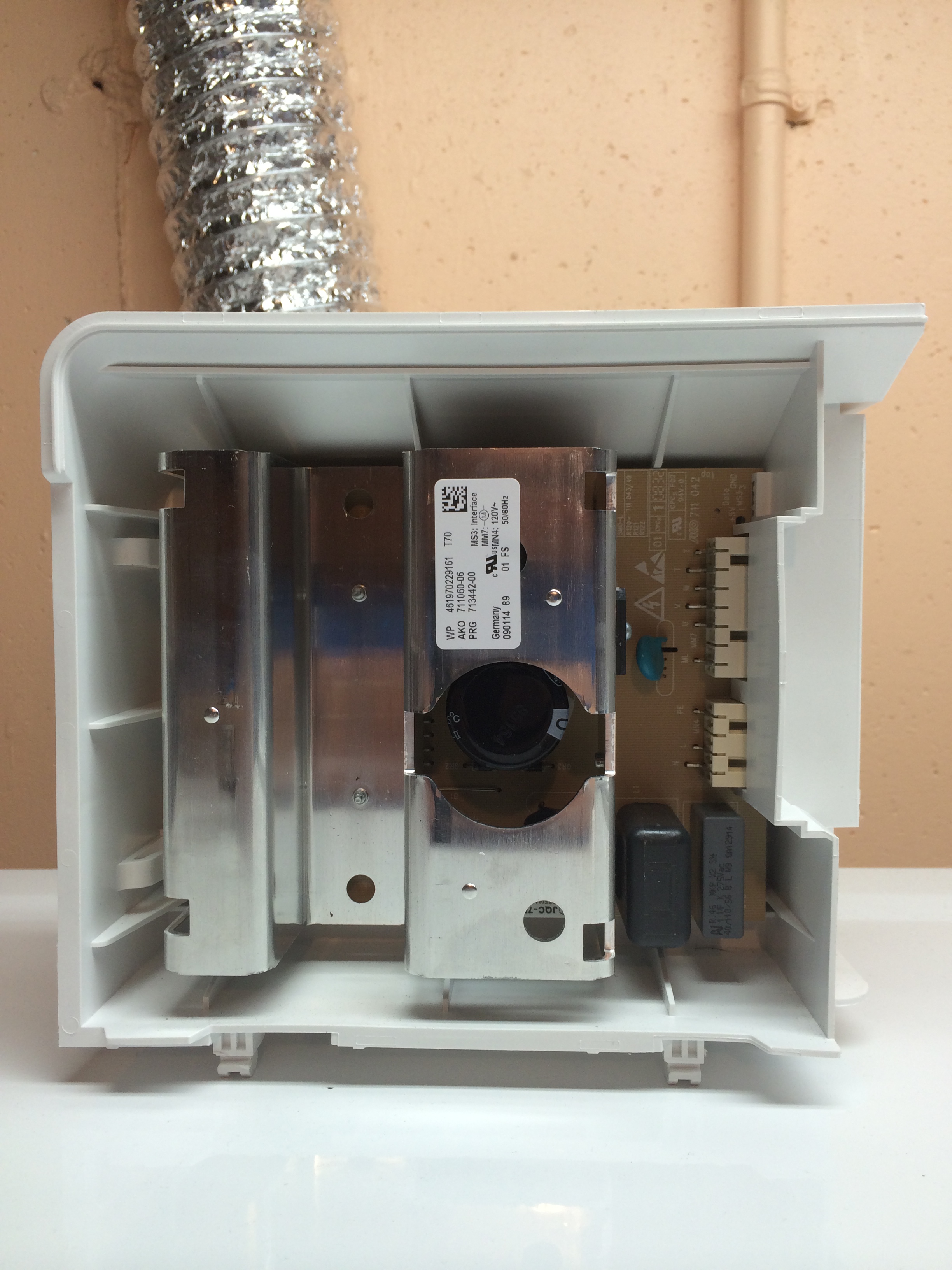
By the time he was back in the house with the part I had Amazon.com up and we found the part. The price: $187.

photo

He then says: “That is exactly what I was thinking. We can try out the part and if it works you can buy it online and install it yourself for a whole lot less.”

We then went back to the laundry room. He showed me EXACTLY what had to be done (a simple procedure) to swap out the part. And, it worked! He then reversed the procedure and prepared for departure. The cost of the service call (my home schooling): $60. That, and the cost of the part (online) totaled less than $300!

In his parting words he commented: “I just don’t feel right charging that much money for a simple repair that most people could do on their own.” That had to be the best in-home repair service experience we’ve had.

And, finally, UPS delivered our part. I installed it in less than 10 minutes and we are now caught up on our laundry.

The moral of the story – When a potential DIY project comes up, I will avoid hiring it out if we can wait just a few short days before I can get to it. Doing so saves hundreds of dollars! And, even more importantly, the sense of accomplishment and self-sufficiency is incredible! Oh, the little joys in life 🙂

p.s. – And, my wife never once said “I told you so.” Thanks sweetheart!

It Is NEVER Too Late!

Do you have an unfulfilled dream or goal? Have you tried and failed? Do you feel that it is too late to go for it, or to try yet again?

Consider this fellow. He was a:

  • Laborer for various railways in the US, losing his job after brawling with a fellow worker.
  • Lawyer for 3 short years until his legal career ended after he engaged in a courtroom brawl with his own client.
  • Secretary at the Chamber of Commerce in Columbus, Indiana. After admitting to not being very good at the job, he resigned after less than a year.
  • Insurance Salesman until he was fired for insubordination.
  • Small businessman, establishing a company manufacturing acetylene lamps. The venture failed after Delco introduced an electric lamp that they sold on credit.
  • Salesman for the Michelin Tire Company. He lost his job when Michelin closed their New Jersey manufacturing plant.
  • Service station manager until it closed as a result of the Great Depression. He later ran other service stations…

Most of you know who this person is…While running one of his “last” service stations he cooked chicken dinners for his customers. And, to make a long story short, at the age of 62 Colonel Sanders launched his first Kentucky Fried Chicken franchise. Sounds like one of those “famous failures” to me.

Here is a person who simply did NOT give up. He tried and tried and tried – until!

Our goals and dreams are “real.” Thoughts are things. To bring them into physical reality we simply need to remain focused and put forth the necessary action – until.

Go for it and never give up!